Calendar and timetable
Timetable with A and B weeks, holidays and lesson topics. Connects to Google, Outlook and Apple.
Timetable, assignments, grades, report cards, absences, substitutions and messages. Students, teachers, parents and the school office work in the same place, and everyone only sees what is meant for them.
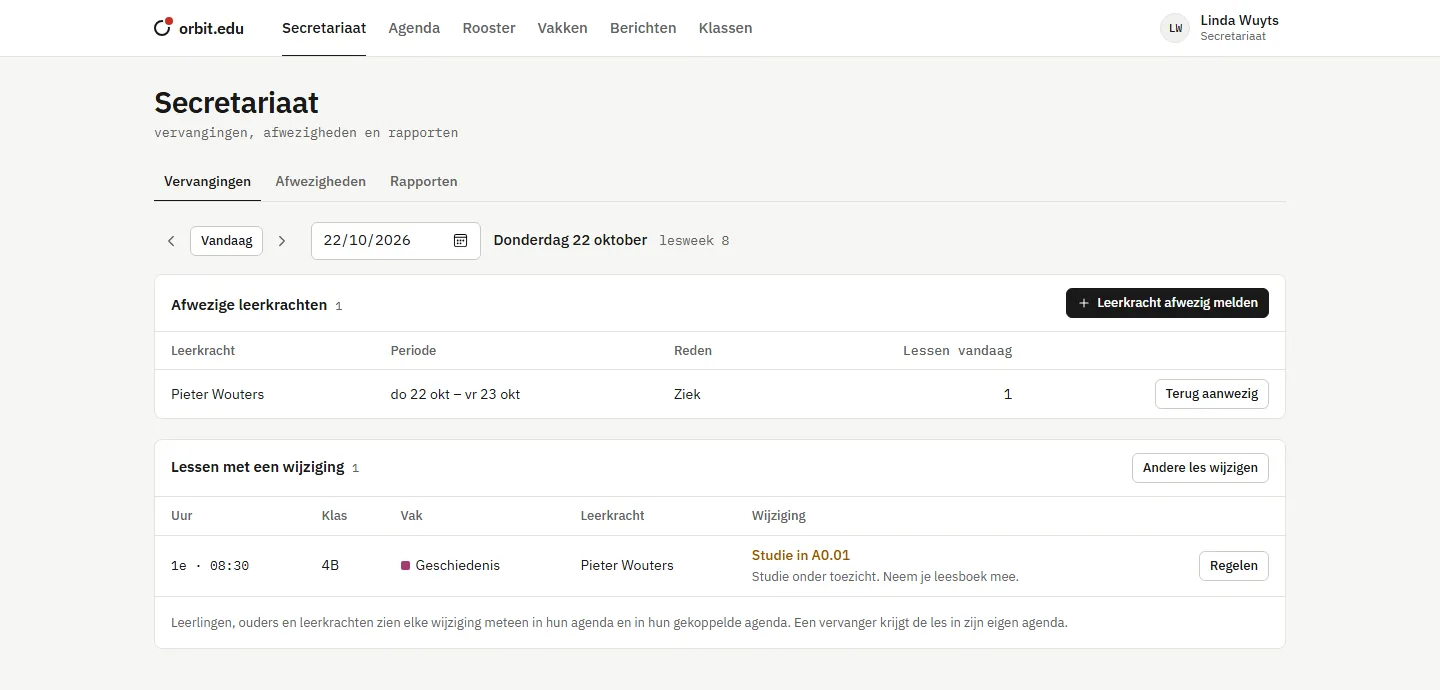
Click a lesson to see a change
A student sees their lessons and assignments. A parent sees their child's grades and absences. The school office arranges today's substitutions. The same data, always from the right angle.
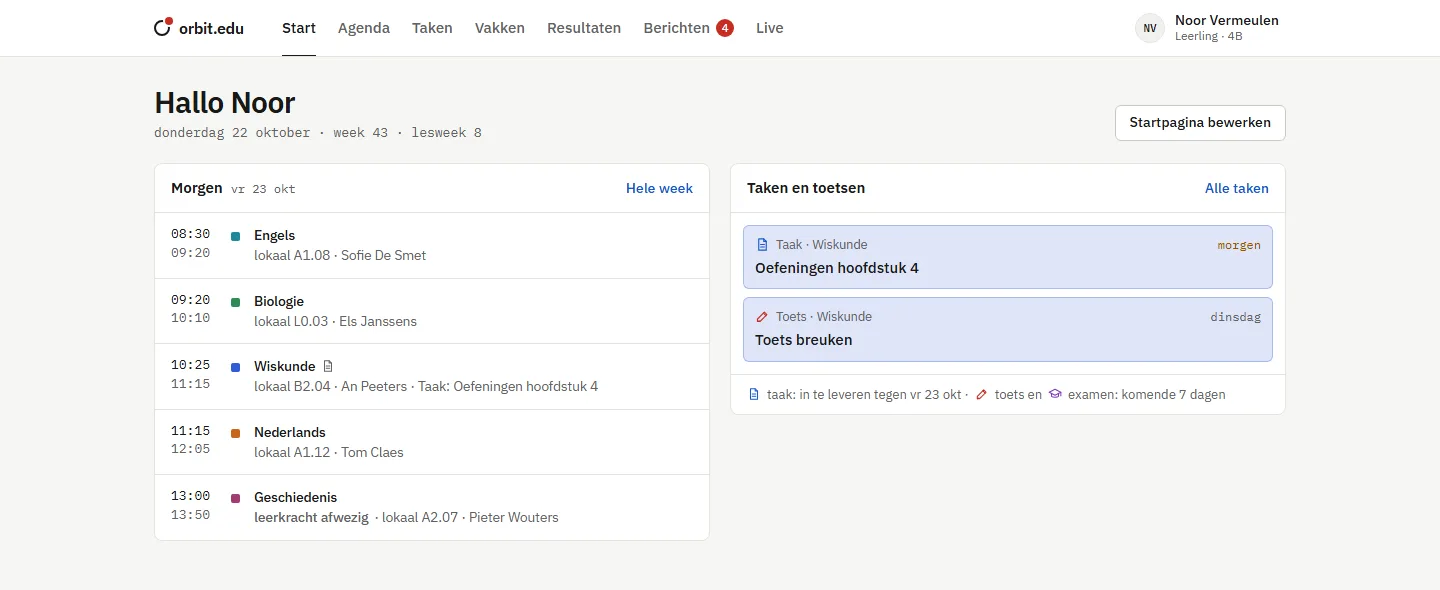
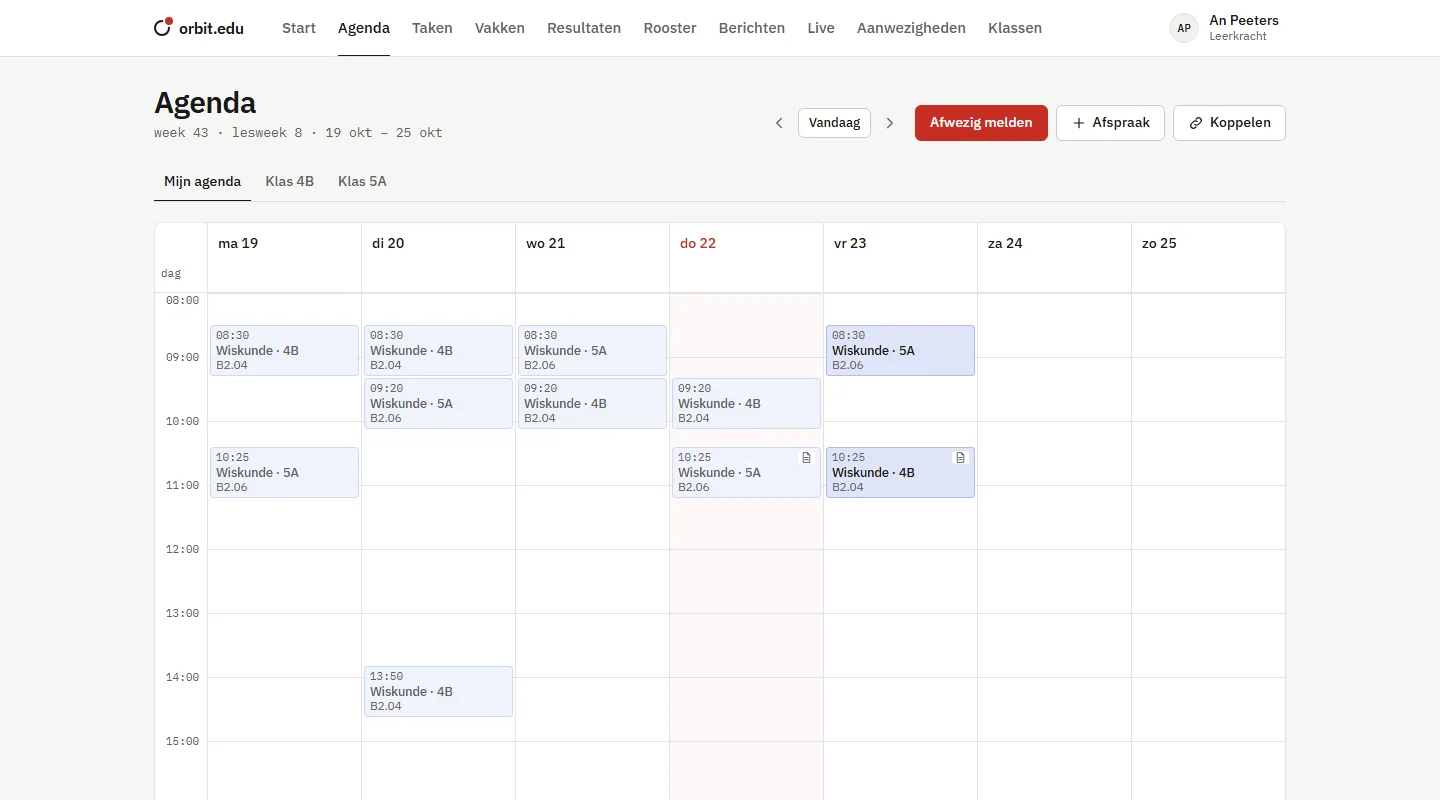
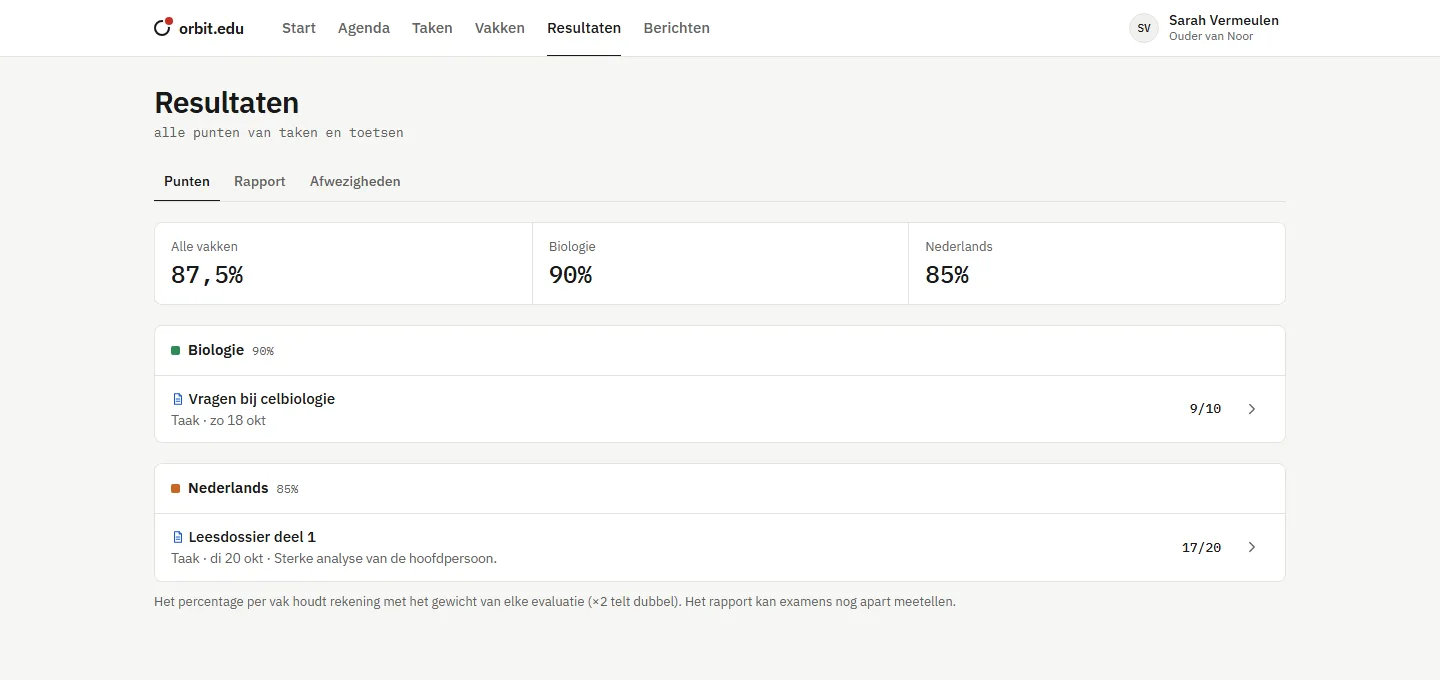
No separate apps to stitch together. Everything is connected: a test sits next to its lesson, a substitution shows up in every calendar at once, an absence counts on the report card.
Timetable with A and B weeks, holidays and lesson topics. Connects to Google, Outlook and Apple.
Hand-ins with attachments, deadlines next to the right lesson, and an overview of what is still open.
Weights, exam share, comments per subject and from the form tutor. Publish with one click.
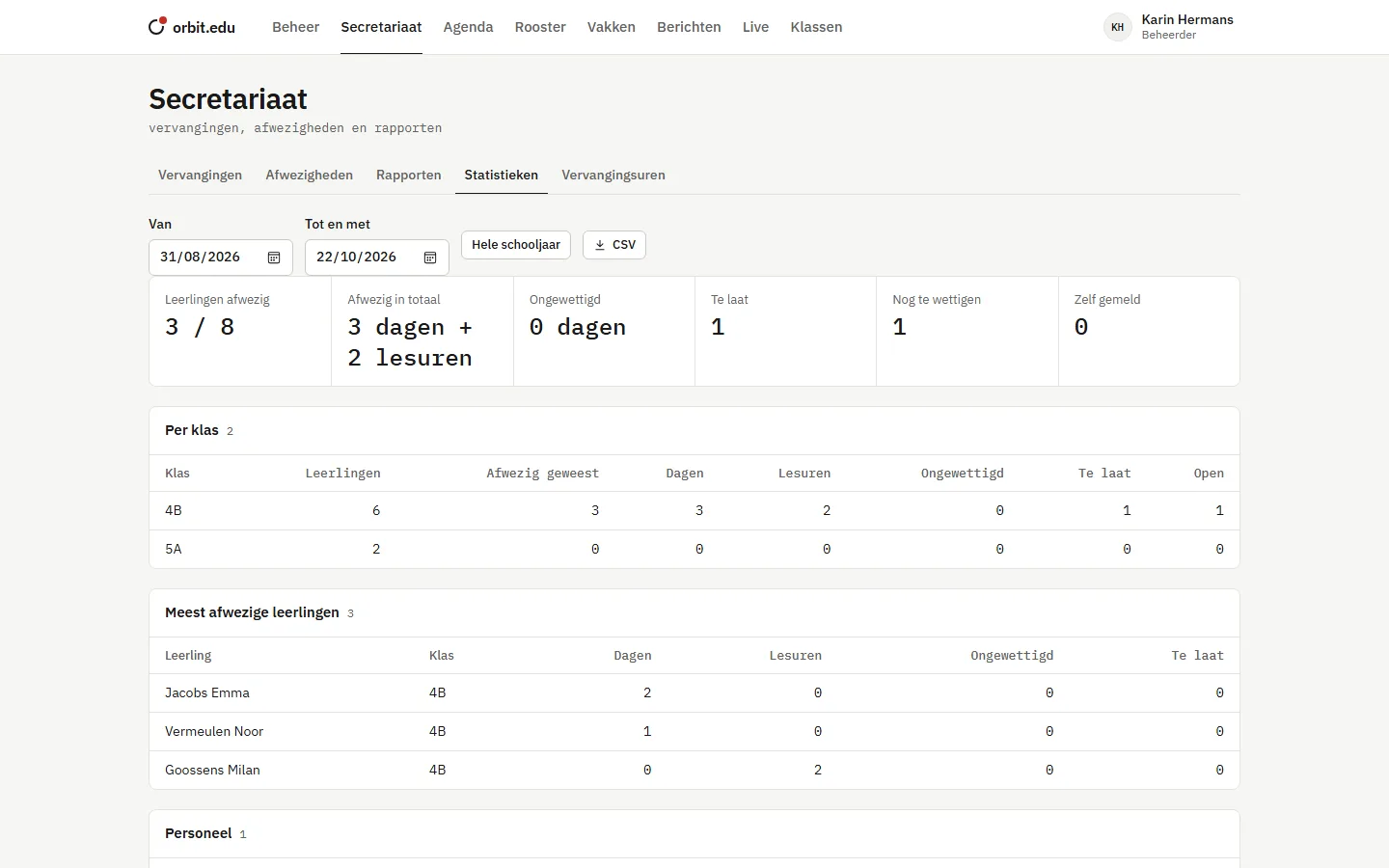
Attendance per period, self-reported absences, excused by the school office, and statistics for management.
Report an absent teacher and choose per lesson: substitute, study hall or cancelled. Everyone sees it right away.
Conversations with teachers, parents and the school office, with attachments and email notifications.
Remote lessons and voice group calls, right in the browser.
moduleEvery upload checked for viruses, with plagiarism and AI signals for the teacher.
moduleA teacher calls in sick. The school office sorts it out in a few clicks, and students, parents and the substitute see it right away. Nobody stands in front of an empty classroom.
The teacher presses the red button Report absentin the calendar, or the school office reports it.
All lessons that day are marked "teacher absent", in linked calendars too.
The school office sees which colleagues are free and chooses per lesson: substitute, study hall or cancelled.
The substitute has the lesson in their calendar, and the class knows which room the study hall is in.
orbit.edu is built with the GDPR in mind: show less where possible, keep everything traceable where it matters.
Its own database and files per school. No tables shared with other schools.
With an app on your phone or by text message, and strict password rules for everyone.
Teachers see that an absence is excused, not whether a student was ill.
Who signed in, what was changed and who opened submitted work, per person and per date.
Access and export per person, permanent deletion, retention periods per type of data.
Not on the platform and not on this website. Students are not an audience.
We show the platform with the real screens and listen to how your school works.
A class, a grade or the whole school tries orbit.edu for a while.
Classes, students and timetable loaded, plus a short training for administrators and the school office.
Questions come straight to us, and the help forum is always open.
No. orbit.edu works in any browser, on a computer, tablet or phone. On a phone you can add it to your home screen as an app.
Yes. Everyone chooses Dutch, English or French. Screens, buttons and notifications are translated.
The student, their parents (if the school allows it) and their teachers. The school can hide grades for a while, for example during exams.
Then you get all of the school's data as an export. After that, it is deleted.
Book an introduction. We show you the platform with your own questions in mind, with no obligation.